


Final Girl Companion
4.621.00 Reviews
App Specs
- Version
- 1.3.0
- Updated On
- License
- $2.99
- Downloads
- 10,000+
- Developer
- Van Ryder Games
- Categories
- Board
- Platform
- Android, iOS
Screenshots
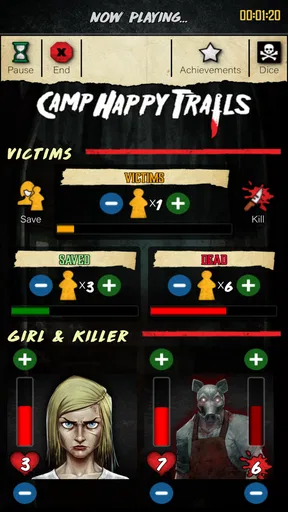
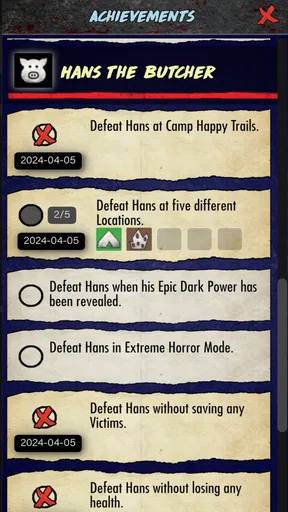
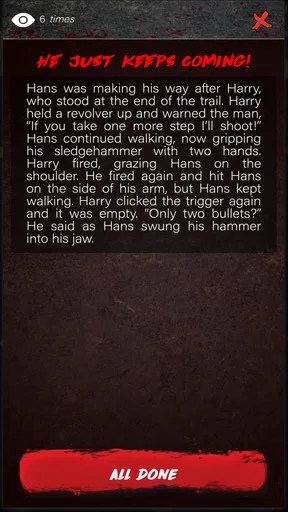
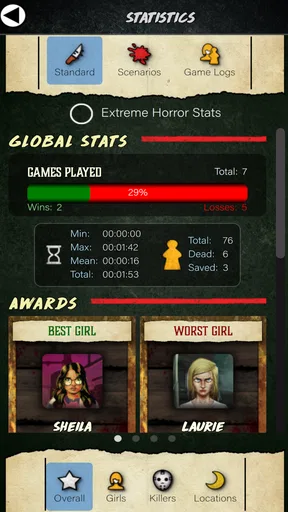
 Analysis by AppCompare
Final Girl Companion is the kind of board-game app I would install with a very specific expectation: it should make a physical Final Girl session easier to manage, not replace the table, the cards, or the decisions that make the game enjoyable. After spending time with it, my view is that this is a useful companion for players who already own and play the board game, but it is a poor choice if you are looking for a complete standalone board-game experience on your phone.
That distinction matters from the beginning. This is a paid board game companion from Van Ryder Games, listed for $2.99, with optional in-app items priced from $1.99 to $3.99 each. It carries a Teen content rating and runs on devices using Android 9 or later. The current release is version 1.3.0, and the game has built a respectable audience, with more than ten thousand installs and a 4.6 average from just over a hundred ratings.
I would describe it as a digital helper for a tabletop horror game rather than a mobile adaptation. That makes its value very dependent on your situation. If you are preparing a solo session, trying to keep a physical setup under control, or checking whether the companion fits your collection, the app can be worthwhile. If you do not own the tabletop game, its appeal is much narrower.
Where players are most likely to get stuck
The first source of confusion is the word “companion.” Someone browsing board games on a phone may expect a self-contained experience with rules, pieces, opponents, and a complete play loop. That is not the right mental model here. The app belongs beside the physical Final Girl game, so its usefulness depends on having the relevant tabletop material ready and understanding what you want the digital side to handle.
That also changes how I judge it. I am not asking whether the app can deliver the same atmosphere as sitting at a table with cards, tokens, and a board. I am asking whether it reduces interruptions during that session. A companion succeeds when I can reach for the phone quickly, understand what it is showing me, and return my attention to the table without creating another problem.
New players can also get stuck by opening the app before learning the physical game. I recommend reading the board-game instructions first, even if you plan to use the companion from the first session. A digital helper is easier to evaluate when you already know which part of the turn or setup is slowing you down. Otherwise, it is difficult to tell whether a confusing moment comes from the app, the tabletop rules, or simply learning a demanding game.
Another practical issue is expectation around content. A companion may support the way you play without containing every physical component you own. I would therefore begin with one straightforward scenario and the material already on the table, rather than trying to organize an entire collection through the phone at once. This makes the first test useful: you can see whether the app fits your routine before committing to a more complicated session.
Worth Reading Before You Choose

EA SPORTS FC Mobile 26 Is a Bigger Football Game, but It Takes Time

Flipboard Shows What News Apps Must Do Beyond the Feed

Switching to Android Auto Means Rethinking Your Driving Routine

Google Calendar Makes a Crowded Week Easier to Manage

Ludo King Makes the Most of the Minutes Between Plans

Baby Panda World Brings Quick Play to Modern Phones, but Its Game Library Feels Busy
The app’s Teen rating is also worth taking seriously. Final Girl is built around horror themes, and this is not the sort of board-game companion I would automatically hand to younger players just because it runs on a phone. The rating is part of the buying decision, especially for families or shared devices.
What to check before blaming the app
When a companion seems unhelpful, I first check the physical side of the session. Is the correct Final Girl material on the table? Am I using the matching scenario or components? Have I already placed the pieces needed for the step I am trying to track? These sound obvious, but companion apps are especially sensitive to a mismatch between what the screen expects and what the player has prepared.
I also check the simple device basics: the operating system, the app version, battery level, and whether the phone is being used by someone else during the game. The minimum requirement is Android 9, so an older device may be the real limitation rather than the app itself. Version 1.3.0 is the current release, and keeping the installation current is a sensible first step before a longer session.
My most useful setup habit is to open the app before everyone sits down. I would rather discover a download, update, or sign-in interruption while preparing the table than during a tense turn. This is not glamorous advice, but it protects the part of the game that matters: once the session begins, players should be making decisions rather than troubleshooting a phone.
It is also worth deciding who will hold the device. In a solo game, that is simple. In a group session, passing a phone around can become more distracting than checking a physical reference. I prefer placing it beside the main play area where the person handling the current step can reach it without covering cards or moving tokens. If the app is being used as a shared reference, a stable position is better than constant handoffs.
Finally, I would not assume that paying for the base app means every possible digital item is automatically included. The app costs $2.99, while optional items are sold separately in the range of $1.99 to $3.99 per item. Before buying anything extra, I would identify the exact tabletop content I plan to use and decide whether the digital addition solves a real problem. That keeps the purchase practical instead of turning setup into a second collection to manage.
Recovering a session when the workflow breaks
The best way to use a companion app is to create a recovery routine before something goes wrong. In my experience, the safest approach is to keep the physical game state visible and treat the phone as an aid, not the only record of what has happened. If the app closes, freezes, or becomes unclear, I want to be able to look at the table and reconstruct the last confirmed step.
For that reason, I avoid making a major change on the table and in the app at exactly the same moment when I am already uncertain. I pause, identify the last state everyone agrees on, and continue from there. This is a small discipline, but it prevents a minor interruption from becoming an argument about which information is correct.
A useful workflow is to announce transitions aloud. For example, after finishing one part of the session, I would say what has been completed before moving to the next part. In a solo game, I might keep a small written note nearby. In a group, a short verbal confirmation is enough. The point is not to add bureaucracy; it is to create a clear anchor if the phone needs to be reopened.
If the app stops responding, I would try the ordinary recovery steps in a calm order: return to the app, close and reopen it if necessary, confirm that the phone still has power, and check whether an update is waiting. I would not immediately delete the app or reset anything while a session is in progress. A rushed reinstall can create more uncertainty, particularly when optional content is involved.
When a purchase is part of the problem, I would first confirm that I am using the same device account and that the item was actually intended for the current physical content. I would also avoid buying the same item again simply because it is not immediately visible. A second purchase does not solve a misunderstanding about what should be available, and it can make the situation harder to untangle.
My strongest practical tip is to use the app in short tests before relying on it for a full evening. Open it, select the material you expect to use, and walk through the early part of a session with the physical components nearby. This reveals workflow friction while the cost of stopping is low. It also helps you decide whether the phone is genuinely saving time or merely adding another object to monitor.
There is a trade-off here that store summaries rarely explain. Digital assistance can reduce the need to remember or consult certain information, but it introduces its own dependency: the device must be available, charged, updated, and easy to read. For a solo player, that trade may be attractive. For a group that already knows the tabletop routine, a printed reference or the physical rulebook may be faster.
When the app is not the actual cause
Not every awkward moment belongs to the software. Final Girl is a physical board game with its own learning curve, and some uncertainty can come from interpreting a rule or setting up the wrong combination of components. If the table itself is inconsistent, restarting the app will not fix the session. I would first compare the physical layout with the rules and make sure everyone is using the same interpretation.
Connection problems can also be misleading. If the phone is slow because the device is old, nearly full, overheating, or running several other apps, the companion may appear responsible simply because it is the screen in front of you. The sensible response is to simplify the device environment before judging the game. Close unrelated apps, give the phone a little breathing room, and test again outside the pressure of a live turn.
The same principle applies to purchases. If an optional item does not appear as expected, the issue may be account selection, delayed store processing, or choosing content that does not match the physical session. I would check the purchase context carefully rather than treating every missing item as a gameplay fault. Since the app has optional items, this is an important part of deciding whether it will be comfortable for your household.
There is also a human cause: the app may be used for a job it was never meant to do. If players are constantly passing it around, reading small text from across the table, or asking one person to manage every digital step, the problem may be the group workflow. In that case, the better solution could be to designate one player as the companion operator or return to the physical reference material for that session.
This is why I would not recommend the app automatically to every Final Girl owner. A player who enjoys organizing components and checking rules manually may find the phone unnecessary. Someone who wants a complete digital board game will almost certainly be disappointed by a companion-focused product. The strongest audience is narrower: people who like the tabletop game and want a practical digital aid beside it.
How it fits into an ordinary game night
Imagine a solo evening after work. I have limited time, the physical game is on the table, and I do not want to spend the first part of the session repeatedly searching through material. I would open the companion before starting, confirm that the device is ready, place the phone where it can be reached, and keep the physical components arranged so that the digital screen never becomes the only source of orientation.
During play, I would use the app at the moments where it genuinely saves attention. I would not stare at it continuously or treat every small decision as something the phone must validate. The goal is a smoother rhythm: check the relevant digital information, make the tabletop move, update the physical state, and continue. If the app makes me stop and reorganize the table every few minutes, that is a sign that my setup needs changing or that the physical method suits me better.
For a group, the situation is different. The person most familiar with the game should probably handle the companion at first, because that player can recognize whether a result matches the tabletop state. Once everyone understands the routine, the role can rotate. I would avoid giving the phone to the least experienced player simply to make the session feel equal; that can turn a learning task into a technical task and slow the whole table.
The app also makes more sense for players who repeat solo sessions than for people who play once and move on. Repeated play gives a companion time to earn its place. If I only play occasionally and already know where everything is in the box, the physical setup may be quicker. If I play often and want a consistent way to prepare, track, or consult information, the modest entry price becomes easier to justify.
Compared with a general board-game reference app, this has the advantage of being tied to Final Girl rather than asking me to build my own system. Compared with the physical rulebook, it may be quicker in the moments it is designed to support, but it cannot replace the tactile layout or the shared visibility of the table. Compared with a fully digital board-game adaptation, it asks me to supply the physical game and therefore offers less convenience but preserves the original tabletop experience.
That comparison explains the central trade-off. The companion is not trying to win by becoming the whole game. It earns its place by reducing a particular kind of friction while leaving the physical game intact. If that is exactly the gap in your sessions, it is a reasonable purchase. If you want one app to provide the entire game, the usual alternative is a complete digital adaptation, not another companion tool.
Who should install it, and who should skip it
I would recommend Final Girl Companion to an existing Final Girl player who enjoys solo board gaming and wants a digital helper close at hand. It is also a sensible option for someone whose table gets cluttered or whose sessions are interrupted by repeated reference checks. The Teen rating makes it more appropriate for mature players than for children, and the Android 9 requirement should be checked before installing it on an older phone or tablet.
I would be more cautious if you are buying it before the physical game. The app’s identity is too closely tied to that tabletop experience for me to call it a good standalone purchase. I would also skip it if your group dislikes phones at the table, prefers paper references, or already has a fast, comfortable routine for managing Final Girl.
The optional purchases deserve a deliberate approach. I would start with the base app, use it with the physical content I already own, and only consider an additional item when I can name the specific problem it solves. That is better than purchasing several items in advance and discovering that the digital workflow is not how I actually like to play.
One less obvious consideration is attention. A phone can be quieter than a stack of reference cards, but it can also invite unrelated notifications and distractions. For a focused horror session, I would enable a quiet mode and keep the device dedicated to the game. The companion is most effective when it behaves like a tool on the table, not like a second entertainment screen competing with the game.
My practical verdict after using it
Final Girl Companion is a focused product with a clear audience. I like it because it respects the fact that Final Girl is a physical board game instead of pretending that a phone can replace the table. Its value comes from supporting a session, especially when I want a more organized solo workflow and do not want every interruption to send me back through the box or rulebook.
At the same time, I would not call it essential. The app adds a device, a setup check, and a possible purchase-management step to a game that can already be played physically. That friction is acceptable only when the companion saves more effort than it creates. Testing it before a full session is therefore my main recommendation: prepare the table, open the app, and see whether the path from screen to physical action feels natural.
The 4.6 average from around a hundred ratings suggests that many users find the idea worthwhile, while the install count of over ten thousand shows that it has reached a real but specialized audience. I read those figures as confirmation of its niche rather than proof that everyone needs it. This is a companion for committed players, not a universal board-game utility.
My final advice is simple: buy it when you already know Final Girl is part of your regular play, begin with a small and controlled setup, and keep the physical game state visible throughout. If the app helps you return to the table faster, it is doing its job. If it becomes the main thing you troubleshoot, the physical rulebook or a simpler reference routine may be the better choice.
In short, this is a useful support tool rather than a complete game. I would recommend it to the right Final Girl player, particularly someone who plays solo and values a repeatable setup. I would skip it as an impulse purchase, as a substitute for the tabletop game, or when my group already has a smoother way to manage its sessions.
Pros
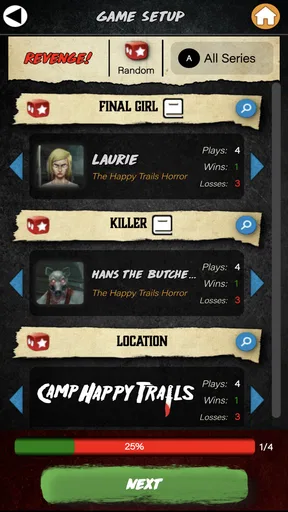
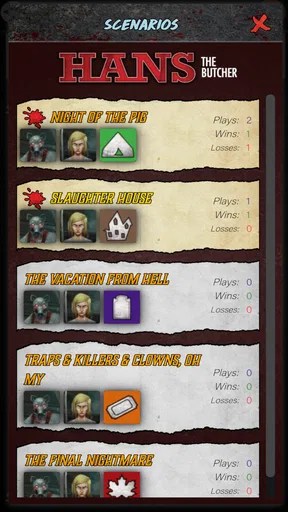
- Tracks scenarios
- locations
- items
- and killers in one convenient place.
- Helps organize setup and reduce time spent checking the physical rulebook.
- Useful reference during play
- especially for complex scenario requirements.
- Compact companion for players who own multiple Final Girl feature films.
- Makes campaign and session notes easier to keep together digitally.
Cons
- Requires familiarity with the board game to use the companion effectively.
- Some players may prefer physical components over managing a second-screen app.
- A phone or tablet battery can become an extra concern during long sessions.
- Limited usefulness if you only own a small portion of the Final Girl content.
- App updates may be needed when new scenarios or expansions are released.
FAQs for Final Girl Companion
What is Final Girl Companion, and what is it used for?
Final Girl Companion is a digital helper for the Final Girl solo board game. It is designed to support gameplay by organizing scenario information, tracking important details, and reducing the need to handle multiple physical reference materials. It does not replace the board game itself; you still need the appropriate Final Girl components, cards, tokens, and rules to play the horror-themed solo experience.
Can I play Final Girl using only the Final Girl Companion app?
No. Final Girl Companion should be treated as a support tool rather than a standalone game. To use it properly, you generally need the physical Final Girl game and any compatible feature films, final girls, or other content required by the scenario you want to play. The app may simplify tracking and references, but it does not provide the complete physical gameplay system or replace purchased game components.
Is Final Girl Companion suitable for beginners?
It can be useful for beginners, especially after learning the basic rules of Final Girl. The app may help reduce table clutter and make certain information easier to access, but it cannot teach every rule automatically or prevent all setup mistakes. New players should read the official rulebook first, then use the companion during a game once they understand turns, actions, cards, locations, and the killer’s mechanics.
Does Final Girl Companion work offline, and what device permissions does it require?
Offline availability can depend on the version of the app and the specific feature being used. Basic reference or tracking functions may work without a constant connection, while updates or online content could require internet access. Before downloading, review the store listing for current device compatibility, supported operating system versions, storage requirements, and requested permissions, particularly if privacy or offline play is important to you.
Is Final Girl Companion free to download, and are there in-app purchases?
The app’s price and any optional purchases may vary between Android and iOS and can change with future updates. Check the official Google Play or App Store listing before installing to confirm whether it is free, paid, ad-supported, or includes additional content purchases. Also verify whether the available features cover your Final Girl collection, since compatibility may differ between game boxes, expansions, and app versions.


